
The Editor
The Stenoris editor combines transcript editing with synchronized audio playback.
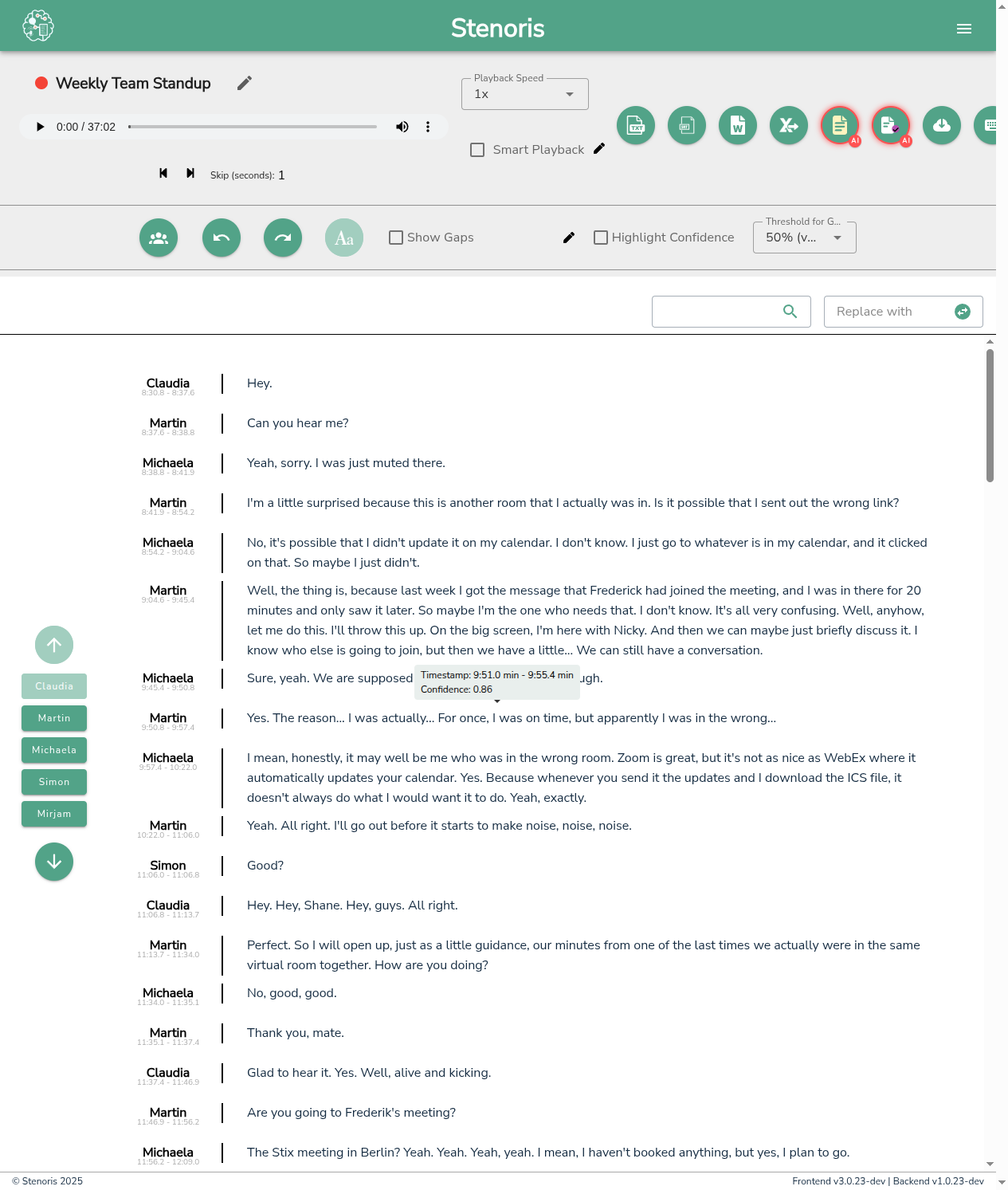
Editor Layout
- Transcript area
- Audio player
- Settings panel
- Speaker list
Editing Text
- Click to edit
- Select and modify
- Auto-save functionality
Speaker Management
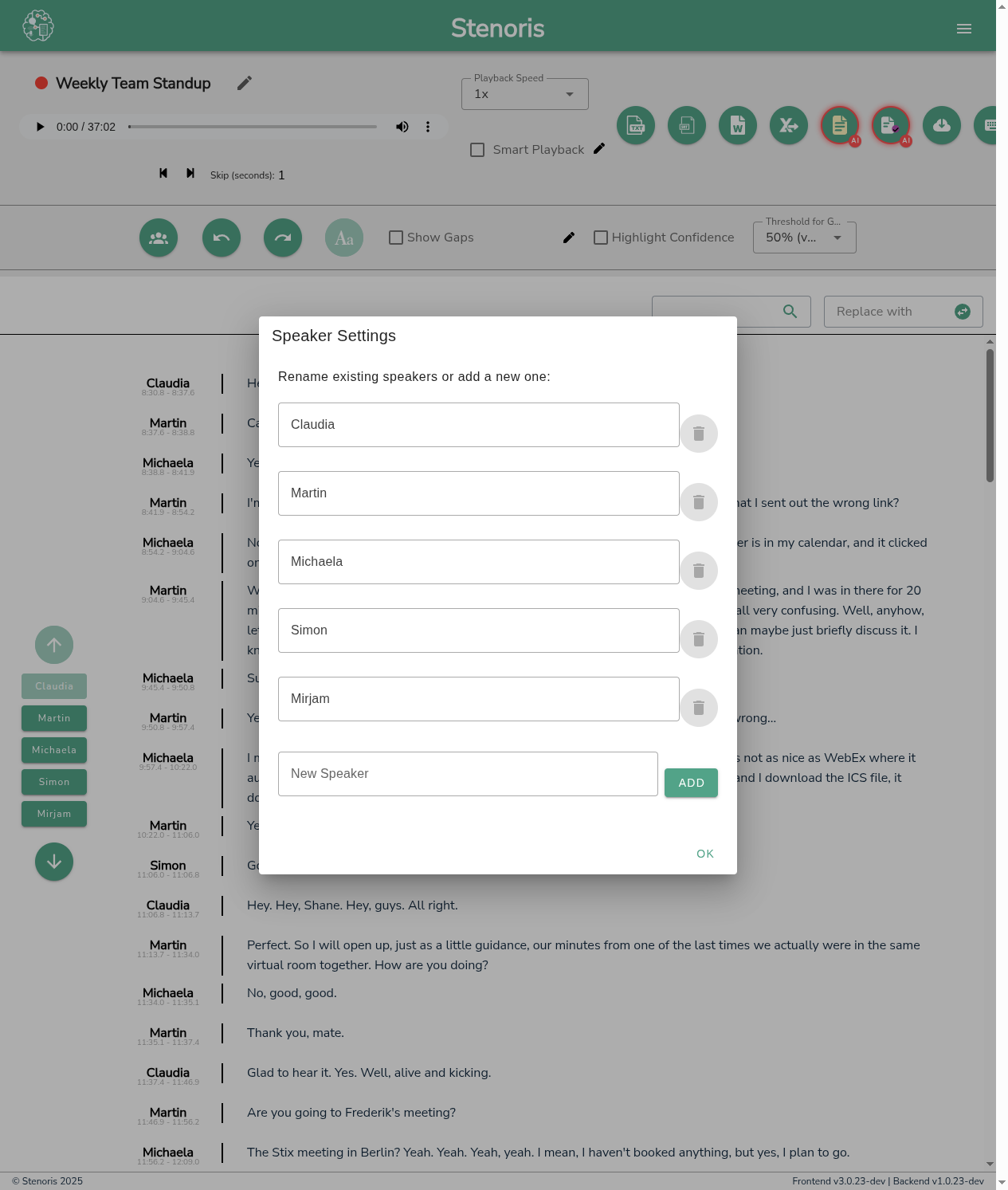
Click the speaker settings icon to manage speakers in your transcript:
- Rename speakers - Give meaningful names to each speaker
- Merge speakers - Combine multiple speakers if they're the same person
- Speaker colors - Each speaker is assigned a unique color for easy identification
Confidence Highlighting
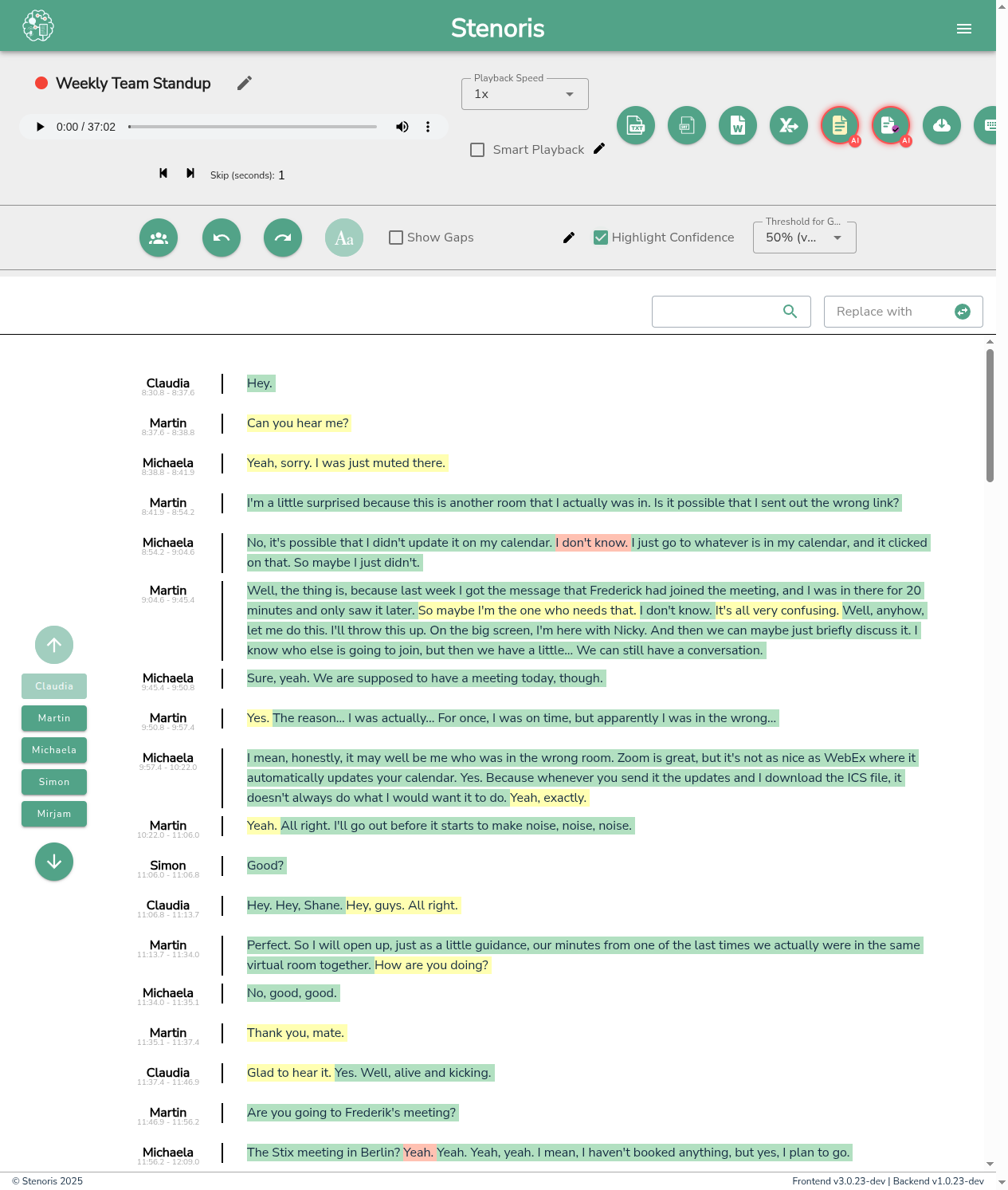
Enable confidence highlighting to identify potentially uncertain transcriptions:
- Color-coded levels - Words are highlighted based on recognition confidence
- Adjustable threshold - Set the confidence level below which words are highlighted
- Focus on uncertain text - Quickly review and correct low-confidence sections
Navigation
- Click-to-seek
- Word highlighting during playback
- Paragraph navigation
Settings
- Display preferences
- Playback behavior
- Speaker settings
Related
- Audio Playback - Detailed playback controls
- Keyboard Shortcuts - Speed up your workflow
- Editor Settings Reference - All settings explained